
Kick-off
Asset manager: the asset manager is the main contractor and is ultimately responsible for the correct progression of the planning.
Executing party: a party that must perform a step in the asset’s planning.
End customer: the party that becomes the owner of the asset.
1. The asset manager specifies which parties are part of the planning.
2. Team Asset Planner creates an account for all these parties if they have not yet been added to the application.
3. After all parties have received their login details, an online or physical appointment is scheduled with all parties. During this meeting, we demonstrate what each party can adjust in TAP.
Don’t worry, support is always available!
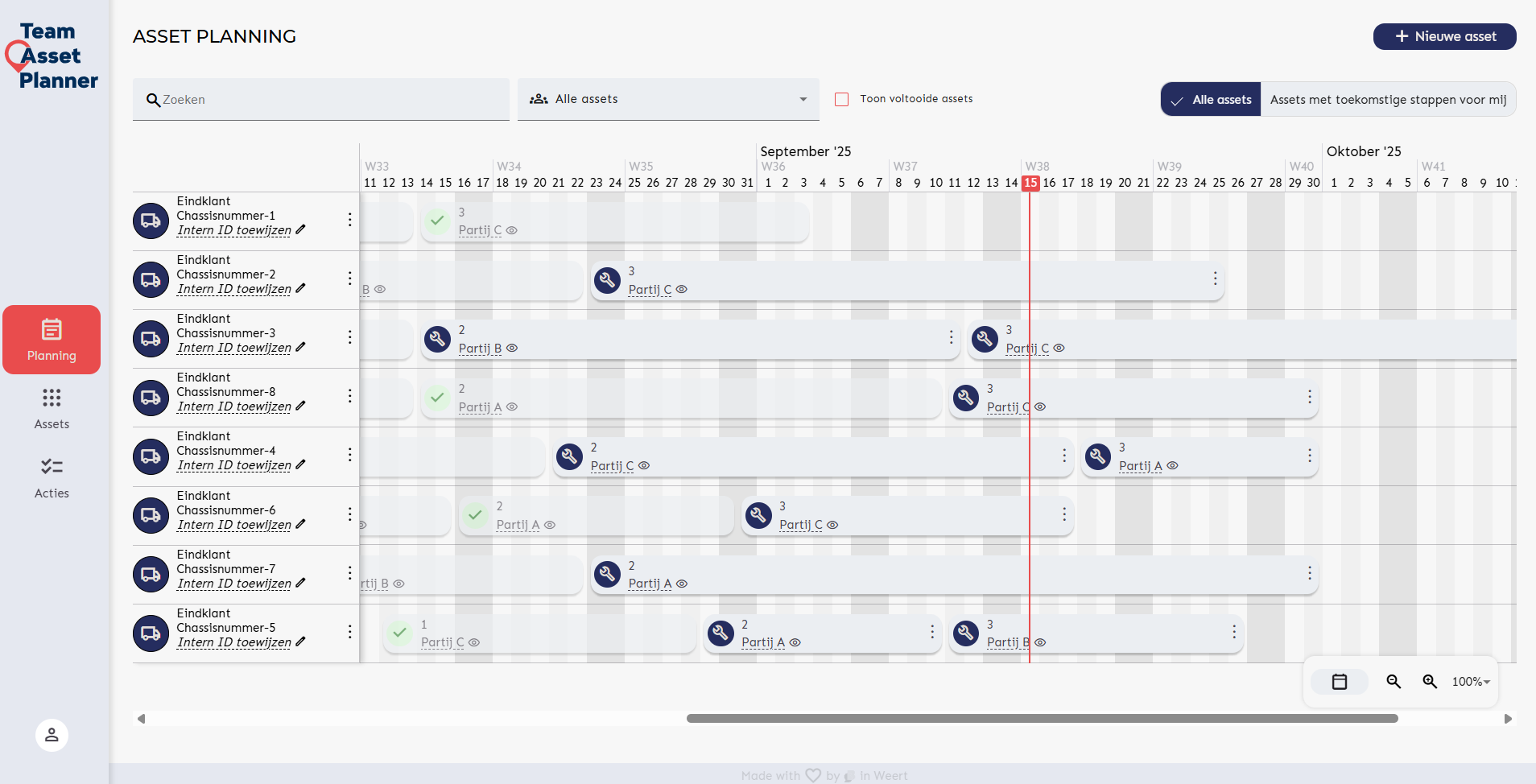

Planning setup
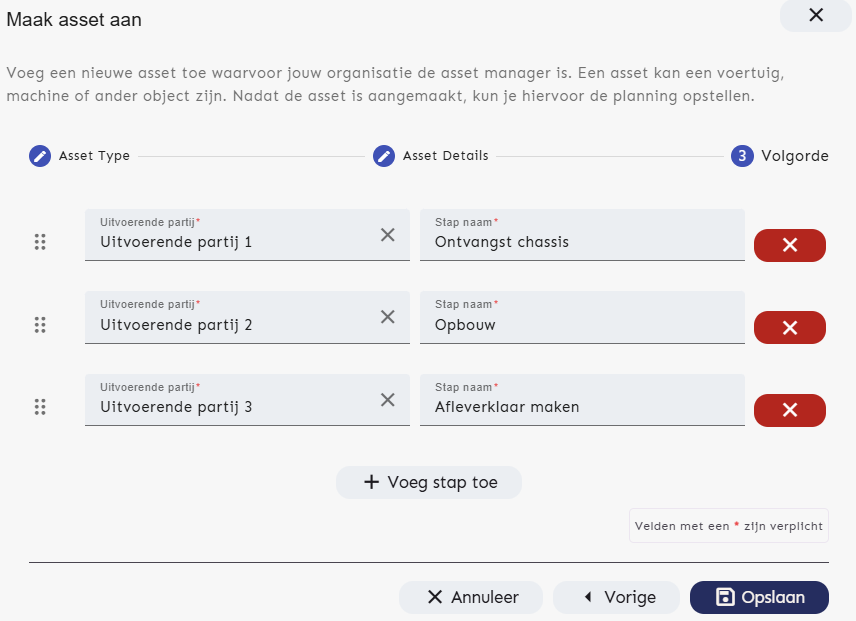
Choice of:
1. Asset manager completes the full planning: when the person responsible for the planning has already coordinated all start and end dates with the executing parties, they can fill in the planning for all executing parties. The executing parties receive an email as soon as they are added to an asset.
2. Executing parties complete the planning: the asset manager only enters the sequence of executing parties. The first party receives an email requesting them to fill in their planning. Once the planning is completed, the second party receives an email, and so on.
Collaborative cloud planning
- Coordinate planning with other manufacturers: collaborate with partners to synchronize schedules, prevent overlap, and easily respond to changes
- View status and progress: always have access to the most recent planning and project status for better decision-making
- Real-time changes: all changes are synchronized immediately, ensuring everyone always works with the most up-to-date information
- Access management: manage who has access to which schedules, keeping sensitive information protected
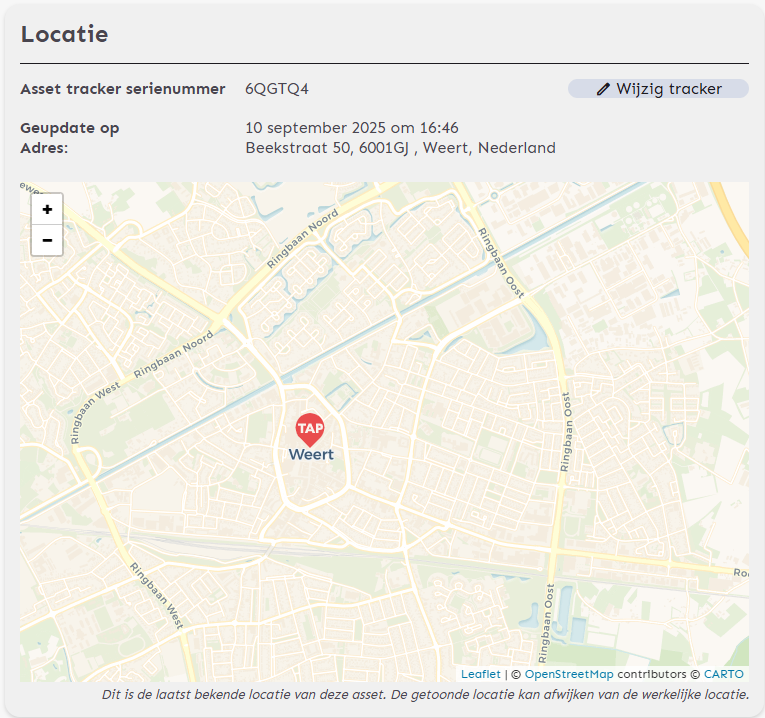
GPS tracking
The GPS tracker is provided by Team Asset Planner for every vehicle you intend to plan.
- Live location of your valuable vehicle: 24/7 insight into the vehicle’s latest location
- Insight into location history (coming soon): view the full location history of your assets to analyze trends and plan future movements
- Notification of deviations: receive a notification when the actual location deviates from the planning
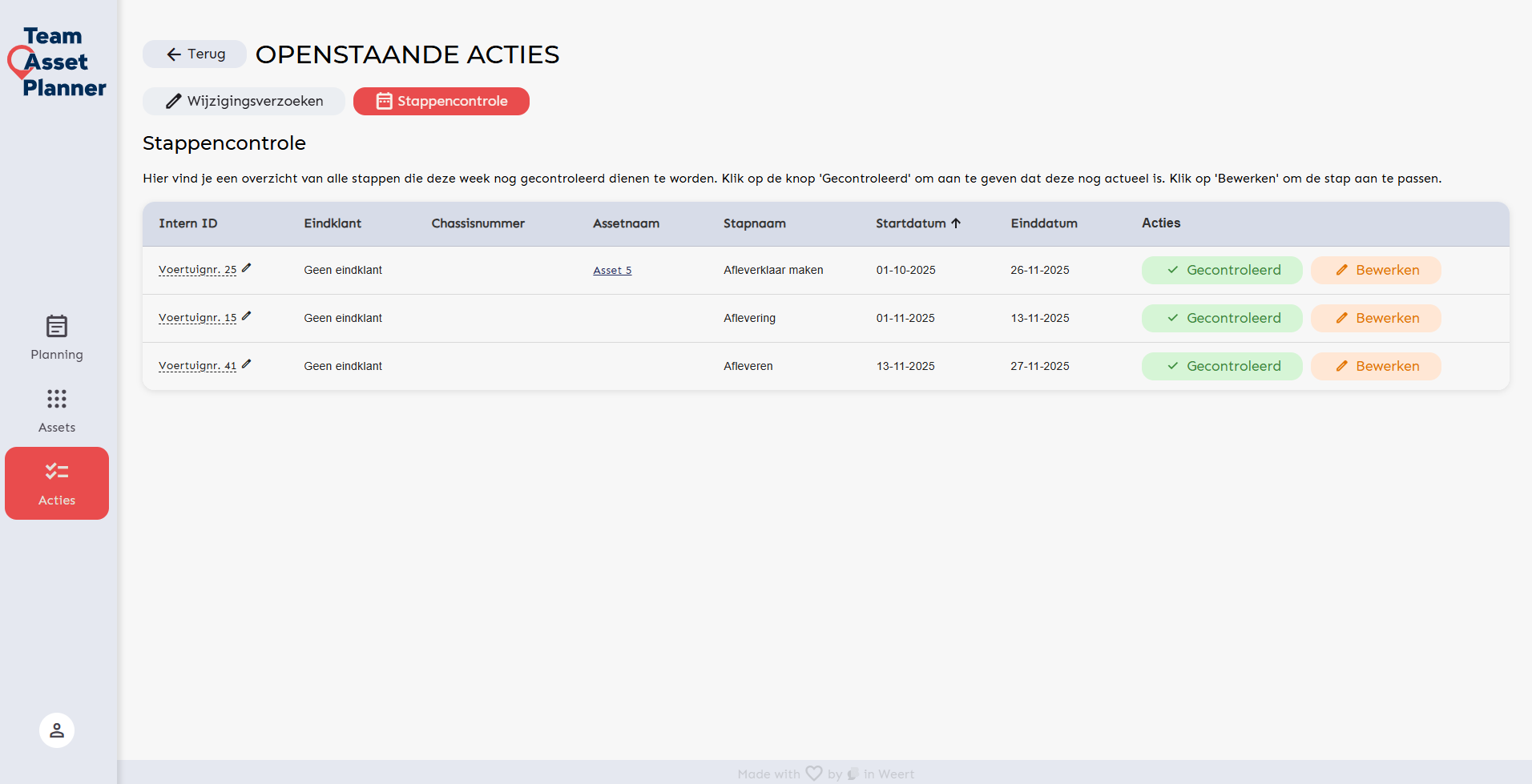
Notifications of changes
- Notifications of important events: stay continuously informed about critical changes and updates in the planning
- Update the planning: respond immediately to changes to keep schedules current and minimize delays
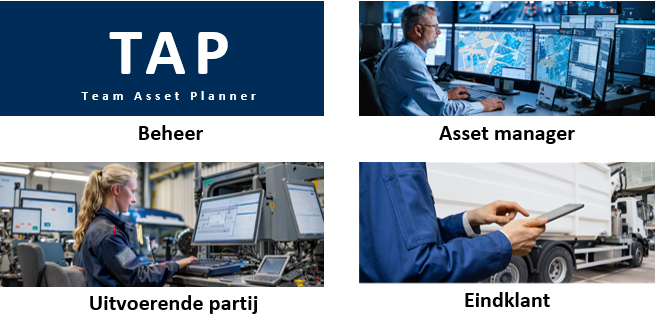
User roles
- Role management: all parties in the planning receive the permissions they need to achieve optimal planning
- Keep stakeholders up-to-date: allow stakeholders to view the planning so they have insight into the current status
Seeing is believing! It starts with a demo.
Questions? Contact us: